New Leader Notes for One Story
Leader notes have been redesigned for easier prep. Here's what changed and why.
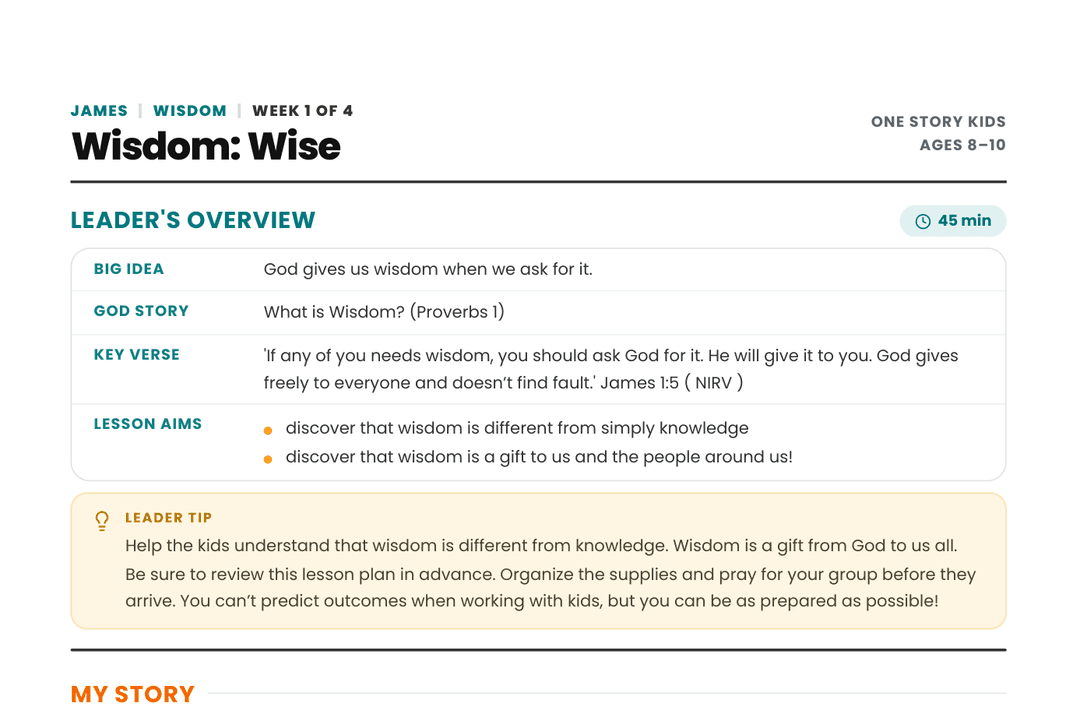
One Story leader's notes just got a big upgrade!
We know a lot of you have been customizing your own prep — printing notes out, pasting them into your own docs, building cheat sheets to get through a lesson more easily. That told us something: the notes needed to work better for you. So we rebuilt them from the ground up to be something you'd actually want to use — clear, well-organized, and genuinely easy to prep from.
Here's what's new.
A layout built to be used, not just read
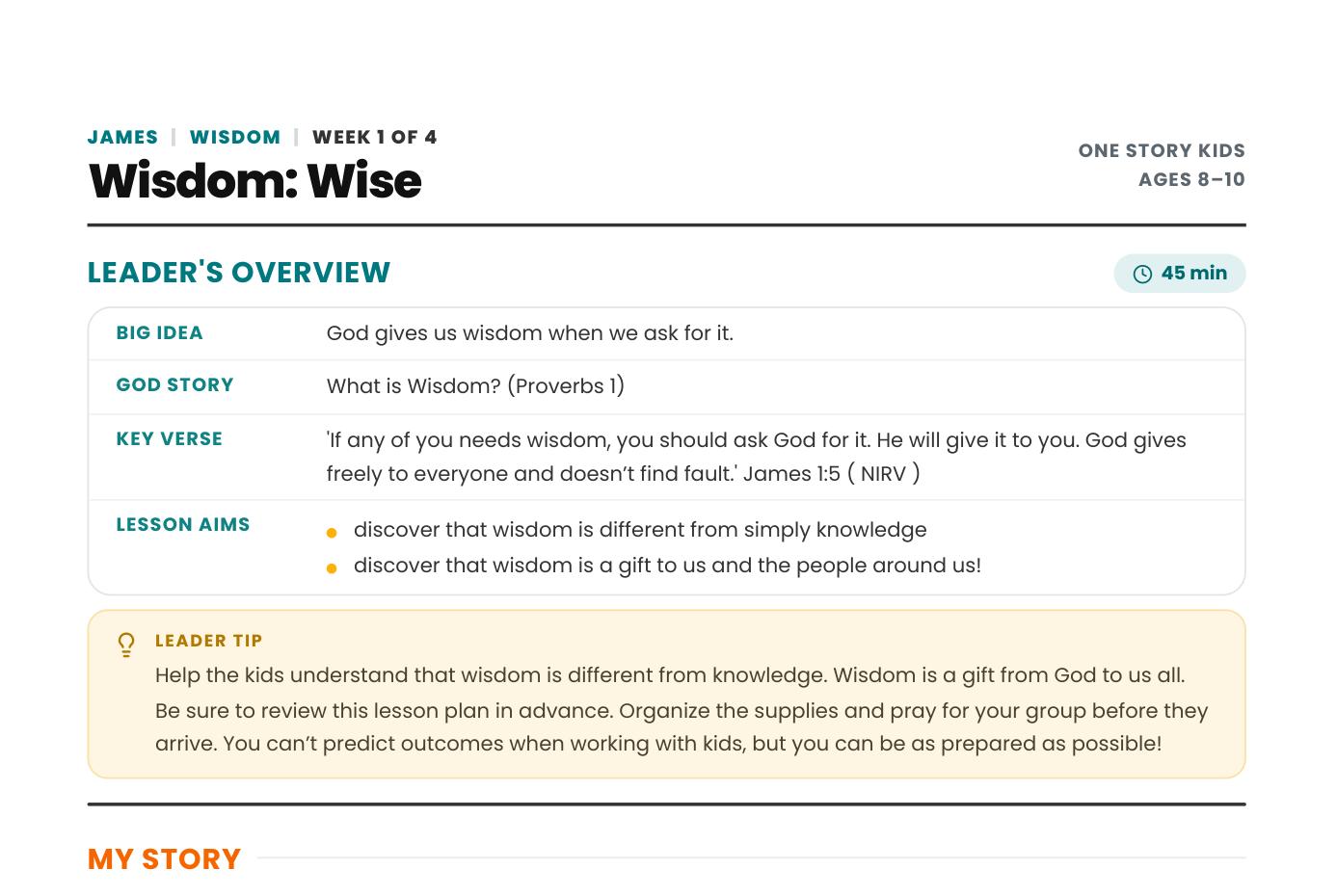
The whole format has been redesigned — cleaner spacing, a clear visual hierarchy, and a layout that's easy to scan at a glance instead of reading top to bottom every time. We also switched from landscape to portrait orientation, so it prints and reads more naturally, especially if you like a physical copy on hand during your lesson.
Total lesson time, right up front
Every lesson now shows a total time badge at the top, next to the Leader’s Overview. No more adding up minutes across multiple sections — you’ll know at a glance whether a lesson fits your time slot.

Activity types at a glance
Each activity is now labeled by type — Creative, Game, Teaching, Music, Story, Discussion, Prayer — right next to its title. Planning a lesson with the right mix of movement, stillness, and creativity just got a lot easier.

Materials called out clearly
Materials for each activity now appear as simple tags (like “Paper — 1 per kid”) right under the activity title, instead of being buried in a paragraph. Grab what you need at a glance.

Leader tips are easy to spot
Leader tips are now highlighted in their own callout box, so the small but important notes — like how to handle a tricky moment in an activity — don’t get lost in the text.

Cleaner overall
We’ve also cleaned up the notes so you’re only seeing what’s useful to you as a leader — no extra file names or backend details cluttering the page.s.
We’d love your feedback. Now that you’ve seen the new format, tell us what you think at hello@raiseupfaith.com — what’s working, what you’d love to see next, or any questions you have. This upgrade came directly from feedback like yours, and we’re not done listening.
This update is rolling out gradually across all curriculum brands. One Story is first, with more brands to follow in the coming months.
Sign up for your Free Sampler account today!
Get instant access to everything you need, and more than you could ever imagine, for every ministry moment. Thousands of lessons, games, activities, crafts, and worship media assets are ready for you!
Create Free Sampler Account